
GotSport Live
GotSoccer LLCSports
3.013.00 Reviews
- Version
- 1.1.1.9
- Installs
- 10.00K
- Age Rating
- Everyone
Screenshots
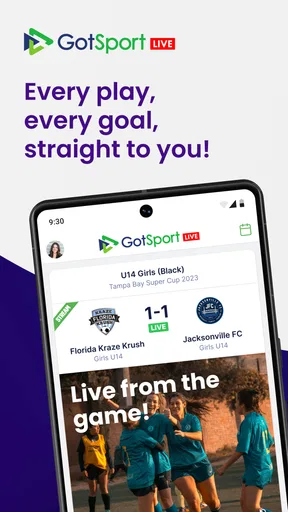
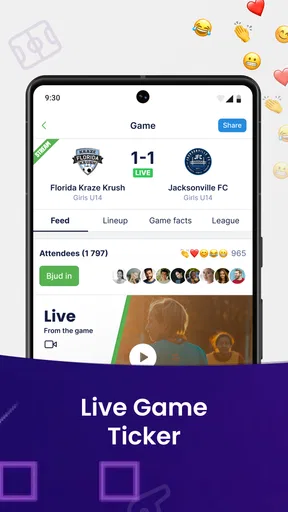
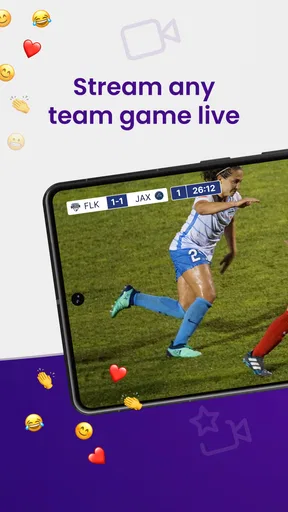
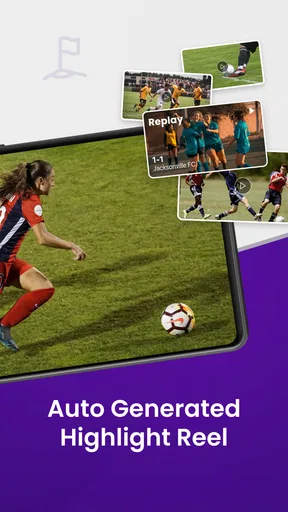
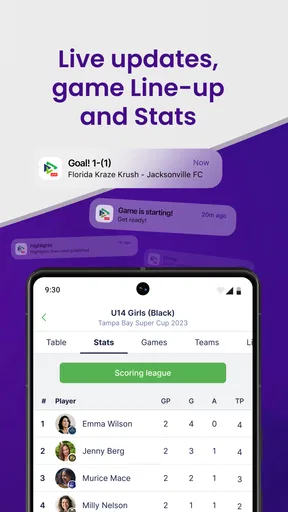
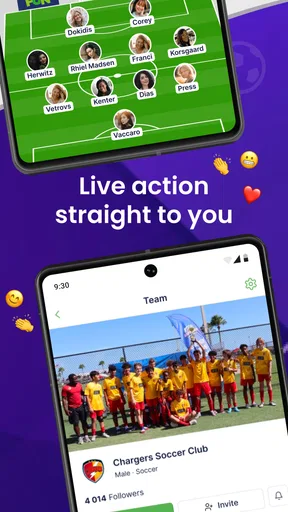
Our Review of GotSport Live
 Analysis by Appyee
GotSport Live is a sports app from GotSoccer LLC that aims to make following live soccer action more convenient. I approached it as someone who might want to keep up with a match while away from a television, rather than as a replacement for a complete club-management system or a full sports news service. That distinction matters: its appeal is centered on access to live action, while its usefulness depends heavily on whether the competitions and events you care about are available through the service.
The app is free and available to users rated Everyone, which makes it easy to try without first committing money or setting up a paid subscription. It arrived on January 5, 2024, and its current version is 1.1.1.9. With support beginning at Android 6.0, it is not restricted to only recent phones. Still, an older operating system does not automatically mean an identical experience on every device, so I would judge it mainly by how well it fits your everyday match-following habits.
What the app is like to use when you want live action
The most useful way to think about GotSport Live is as a focused companion for people who want sports information and live activity in one place. Instead of relying on a general browser search every time you want to check what is happening, an app built around live sports can make that routine more direct. I can see the attraction for parents, players, coaches, tournament visitors, and supporters who may be moving between fields or handling other tasks while a game is taking place.
That focus is also the first important trade-off. A broad sports application may cover many leagues, scores, headlines, standings, and statistics, while a specialized app can feel more relevant when its event coverage matches your interests. I would choose GotSport Live over a general sports app when my main concern is following action connected to the GotSport ecosystem. I would look elsewhere if I wanted wide coverage across unrelated sports or a large editorial news feed.
The straightforward starting point is to install it, open it before an event begins, and explore the available live content rather than waiting until the exact moment you need an update. This is a small but practical habit. It gives you time to become familiar with the layout and identify the competitions or matches that matter to you. For a tournament day, that preparation is more useful than treating the app as something you launch only after someone sends a message asking for a score.
Speed expectations during a normal check
For a live sports app, perceived speed is not only about how quickly the first screen appears. It is also about how quickly you can get from opening the app to the match or event you want. GotSport Live makes the most sense when that path stays simple. If I am standing beside a field and want a quick update, I do not want to browse through unrelated sports content or reconstruct the event from several web pages.
My practical advice is to open the app before leaving for the venue and use that first session to locate the relevant event. This reduces the pressure on the app during the most inconvenient moment, such as walking between fields with limited attention. It also helps separate two problems that users often confuse: an app may be slow to load, or the user may simply be searching for an event without knowing where it is organized in the interface.
The free price lowers the risk of trying this workflow. You can test it on your own phone, follow one event, and decide whether the route to live information feels quicker than your usual browser routine. I would not judge it from a single hurried launch while your connection is busy. A fairer test is to use it on an ordinary match day, then repeat the same task at a different time and see whether the process remains comfortable.
There is another speed-related point that is easy to overlook: live information is valuable only when it arrives in a form you can interpret quickly. A screen that shows the right event but requires repeated searching may still feel slow. Conversely, a modest interface can feel fast if it takes you directly to the information you need. That is why I would pay attention to the number of steps between opening the app and checking a match, not just the first screen’s loading behavior.
How it fits a busy tournament day
Consider a realistic weekend scenario. A parent has one child playing in the morning and another playing later at a different field. During the gap, the parent is buying food, answering messages, and trying to keep track of schedule changes. GotSport Live can be useful as a dedicated place to check live action instead of repeatedly asking another parent for updates. The benefit is not dramatic technology; it is reducing the number of separate places used to follow the day.
A coach or team volunteer could use a similar routine when moving around a venue. Before the next game, I would check the event while I have a stable connection, then return to it when needed rather than beginning from scratch each time. This is one of the app’s more practical strengths: it can support short, repeated checks instead of demanding a long viewing session.
That workflow also reveals when it is not the right tool. If your priority is recording detailed coaching notes, managing player availability, or replacing a team communication channel, I would not expect a live-action app to cover those jobs simply because they happen around the same match. A dedicated team-management product or a messaging service would be a better fit for those tasks. GotSport Live is most sensible when the question is, “What is happening with this event?”
Heavy-use moments and battery expectations
Sports apps experience their heaviest practical use when many people check them around the same event. They may also be used repeatedly during a long tournament, with the screen opened, closed, and reopened throughout the day. I would treat that pattern differently from occasional home use. Repeated checking naturally places more demand on a phone than opening the app once and leaving it.
I would avoid leaving the screen active continuously unless I genuinely need to watch it. For a parent moving between activities, short checks are more sensible than keeping a live page open in a pocket. A portable charger is also a reasonable precaution for a full day at a tournament, especially if the phone is already handling calls, photos, navigation, and messages. That is not a criticism unique to GotSport Live; it is a sensible way to manage any phone used heavily around sports venues.
Resource demands should be judged in context. A compact sports app is unlikely to be used in the same way as a graphics-heavy game, but the phone still has to handle the operating system, network activity, notifications, camera use, and other apps. On an older device, I would close unnecessary background apps before an important event and keep enough free storage for normal system operation. These steps do not transform the app, but they make the test fairer and reduce avoidable friction.
There is a useful trade-off between convenience and constant updating. If I only need to check a result or event status occasionally, repeatedly refreshing may add little value while using more battery and data than necessary. I prefer a deliberate rhythm: check before the game, check during a meaningful break, and check again when the match should have progressed. That approach is especially helpful when mobile coverage at a sports complex is crowded or inconsistent.
Reliability when the result matters
Reliability is more than whether an app opens. For GotSport Live, I would define it as being able to return to the service, find the right event, and understand the current information without unnecessary confusion. That is the standard I would use before depending on it during a tournament. I would not make it my only source for a time-sensitive decision until I had used it through a few ordinary match situations.
The app has an average rating of 3.0 from around thirty ratings, with around thirteen written reviews. I read that as a reason to keep expectations balanced rather than as a final verdict. The sample is small enough that individual experiences can have a noticeable effect, but the rating also suggests that users should test the app for their own events instead of assuming it will suit every situation equally well.
My preferred reliability check is simple. I would choose an event I already understand, compare what the app shows with information available from the organizer, and repeat the check at different points in the day. This is not about demanding perfect synchronization from every live service; it is about learning whether the app’s presentation is dependable enough for my particular use. If the information is important for travel, a lineup decision, or meeting someone at a field, I would keep the organizer’s communication channel as a backup.
Recovery matters too. Phones lose signal, apps get closed, and users return after answering a call. A good routine is to reopen the app calmly, confirm that you are looking at the intended event, and avoid assuming that the last screen still represents the current situation. If you are using an older phone, restarting the app before a major event can also be sensible. These are ordinary recovery habits, but they matter more when the app is being used as a live reference rather than casual browsing.
I would also avoid treating a single missing update as proof that the entire app is unusable. Live sports information can depend on the event itself, the network, and the way organizers maintain it. At the same time, I would not ignore repeated trouble. If the same competition is consistently difficult to locate or follow, a direct organizer channel may be better for that specific event. The right question is not whether the app is perfect in every circumstance, but whether it is dependable enough for the events you actually follow.
Device constraints and who should install it
Support for Android 6.0 makes GotSport Live accessible to owners of older Android phones, which is valuable for users who do not replace devices frequently. The minimum requirement does not guarantee identical speed across all hardware, however. A newer phone may feel more comfortable when switching between the app and messages, maps, or a camera, while an older model may benefit from fewer open apps and a clean restart before a busy day.
I would be especially careful with storage and connectivity on an older device. Keep the operating system in normal working order, remove apps you no longer use, and avoid testing the service for the first time when you are already late for a match. If the phone has a small battery or weak mobile reception, plan around those limits rather than expecting any live sports app to solve them.
The app’s Everyone rating makes it approachable for families, but that does not mean every family member will find it equally useful. A young player may want only a quick result, while a parent may care more about following several events across a day. A coach may need an immediate view of a particular match but still rely on separate tools for planning and communication. I would install it for live event awareness, not because the age rating implies it replaces every other soccer-related tool.
With over ten thousand installs, it has reached a meaningful group of users without being one of the enormous mainstream sports platforms. That scale reinforces my recommendation to test it around your own competition. A widely installed app can still be irrelevant if it does not cover the event you follow, while a smaller specialized app can be genuinely useful when its focus lines up with your needs.
Where it beats the usual alternatives
The most obvious alternative is a web search. Searching can work, but it often produces scattered pages, old results, or links that are awkward to use on a phone while walking around a venue. A dedicated app has the potential to make repeated checks feel more natural. I would choose GotSport Live when I expect to follow related live action more than once and want a consistent starting point.
Another alternative is a broad sports-score app. Those services may be better for professional leagues, international competitions, multiple sports, news, historical results, and detailed statistical coverage. If that is what I want, I would prefer the broader service. GotSport Live has a clearer reason to exist for someone whose sports routine is tied to the events it presents rather than to the entire sports world.
Social media and group chats are useful for human updates, especially when parents or coaches share context that a score screen cannot provide. They can also become noisy and inconsistent. I see GotSport Live as a complement rather than a complete replacement: use the app for a focused live check, and use direct communication when you need a clarification, a location change, or a personal update.
The less obvious comparison is with simply asking someone at the venue. That can be quicker when you are standing beside a teammate or organizer, but it does not scale well when several people need the same information. An app gives each person a chance to check independently. The trade-off is that a person can explain an unusual situation, while an app may only show the event information available through its interface.
Three habits that make the experience better
First, I would build an event-check routine before the match rather than during the most hectic part of the day. Locate the relevant live content, confirm that it is the right competition, and remember the path back to it. This turns the app into a practical reference instead of another thing to troubleshoot while carrying bags or supervising children.
Second, I would use short sessions during a long tournament. Open it when an update is likely to matter, then close it while handling other tasks. This makes better sense for battery management than leaving the phone awake continuously, and it keeps the app’s role clear: quick live awareness, not an all-day screen.
Third, I would keep a backup source for decisions that cannot wait. Save the organizer’s contact method or keep the team’s communication channel available. If the phone loses reception or an event is updated elsewhere first, you are not left without context. This is not a reason to avoid GotSport Live; it is the sensible way to use any live-information app when schedules and venues can change.
A fourth habit is to test it on the exact device you plan to use. The app supports Android 6.0 and later, but an older phone with limited battery or memory may behave differently from a newer model. Run the same task you will need on match day: open the app, find an event, leave it, return to it, and switch briefly to another app. That small rehearsal tells you more than a generic promise of convenience.
My performance verdict
I see GotSport Live as a focused, low-risk option for people who want a dedicated way to follow relevant live soccer action. Its free access and broad Android compatibility make trying it straightforward, while the specialized sports focus is more appealing than a general app when your attention is centered on particular events. I would recommend it to parents, players, coaches, and supporters who expect to check live activity repeatedly during tournaments or matches.
I would not recommend relying on it blindly for every time-sensitive detail. The modest average rating, the possibility of event-specific differences, and the normal limits of mobile connectivity all point toward a measured approach. Test your main competition, prepare before the event, and keep a backup communication route when travel or scheduling depends on the information.
For my own use, the strongest case is convenience during a busy sports day. The app can reduce the need to search repeatedly or depend entirely on group messages, provided the event you care about is represented in the service. The weakest case is for someone who wants a complete sports universe, deep analysis, team administration, or a replacement for direct organizer communication.
In short, I would install it when my goal is narrow and practical: checking live soccer action connected to my schedule without paying for another service. I would skip it in favor of a broader sports platform or a team-management tool when those are the real needs. Used with realistic expectations and a simple backup plan, GotSport Live is worth trying as a specialized companion rather than treating it as the only tool for following the game.
Verdict
Strengths of GotSport Live
- Live scores and match updates are easy to check on the go.
- Useful for following youth and amateur soccer tournaments.
- Team schedules and event details are gathered in one place.
- Push notifications can help users stay informed about matches.
- Simple layout makes basic tournament information quick to find.
Limitations of GotSport Live
- Coverage depends heavily on tournaments using the GotSport platform.
- Some events may have incomplete scores, schedules, or team details.
- Notifications can become excessive during busy tournament weekends.
- The app may feel less useful outside active competition periods.
- Performance and loading speed can vary with weak mobile connections.
Similar Picks in This Category
View All
BeSoccer: Soccer Live Score
BeSoccer apps4.3

Cricbuzz - Live Cricket Scores
Cricbuzz.com3.7

NFL
NFL Enterprises LLC2.4

Da Fit
MO YOUNG LIMITED3.6

ESPN
Disney4.5

LiveScore: Live Sports Scores
LiveScore Limited4.5
Frequently Asked Questions
What is GotSport Live used for?
GotSport Live is designed for players, parents, coaches, and fans who want to follow youth soccer events in one place. Depending on the tournament or league, the app can provide schedules, field locations, team information, match results, standings, and live updates. It is especially useful during busy tournaments because users can quickly check changes without relying only on printed schedules or messages from organizers.
Do I need a GotSport account to use GotSport Live?
Some information may be available without signing in, but certain features can require a GotSport account or access connected to a registered team, event, or organization. Account requirements may vary depending on how the tournament administrator configured the event. Before downloading, users should be prepared to provide basic login details and confirm that their team or competition is supported within the GotSport platform.
Can GotSport Live show live scores and match updates?
GotSport Live can display match scores, results, schedules, standings, and other event updates when those details are entered or synchronized by tournament officials and participating teams. The app is not guaranteed to show every match in real time, since update speed depends on the event staff, internet connection, and the information supplied by organizers. Always verify important changes with the tournament desk.
Does GotSport Live provide directions to fields and venues?
The app may include venue names, field assignments, addresses, and map-related information for supported events. This can make it easier to locate games across large tournament complexes, particularly when several fields share a similar name. However, field details can change, and map information may not reflect parking restrictions, entrances, or temporary closures, so users should also review the organizer’s official instructions.
Is GotSport Live free to download and use?
GotSport Live may be available to download without an upfront charge, but the exact availability of features can depend on the event, league, or organization using the GotSport system. Some services are provided through tournament registration or organizer arrangements rather than through a separate app subscription. Check the Google Play Store or Apple App Store listing for current pricing, supported devices, permissions, and any in-app purchase information before installing.
